
From the OSP news desk
ImportantBetter Tools, Better Reading: What’s New at OSP
Discover seven improvements behind the pages at OSP—from organized manga chapters and cleaner pages to automatic manhwa gradients, updated compilation tools, and easier product publishing.
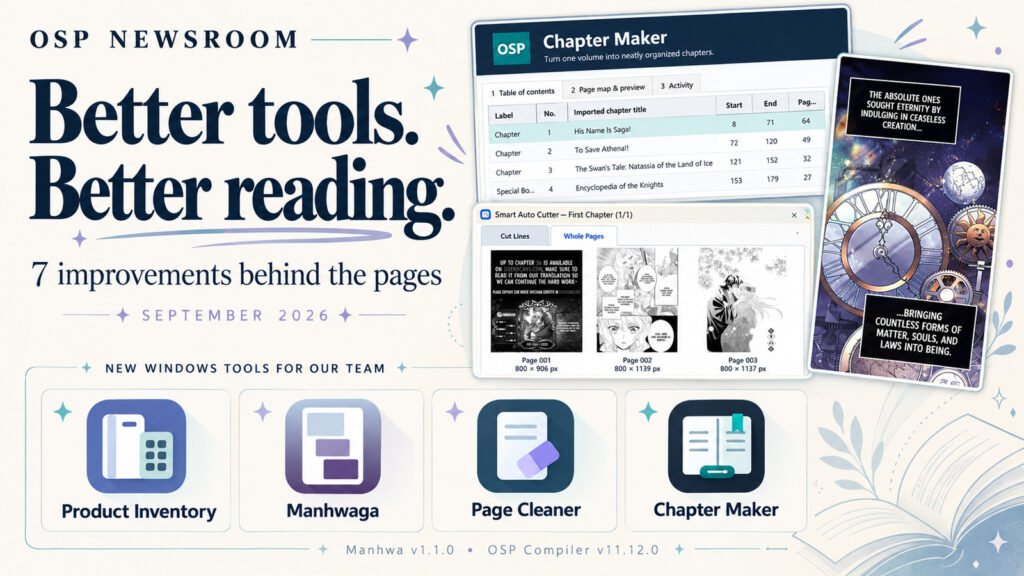
A good reading experience starts long before you open the first page. We’ve been working on the tools and finishing touches that help us prepare your manga and manhwa collections with more care.
Here’s a look at seven improvements, including new Windows tools for our OSP team and updates to the way we organize, clean, and compile your reads.
01. OSP Chapter Maker
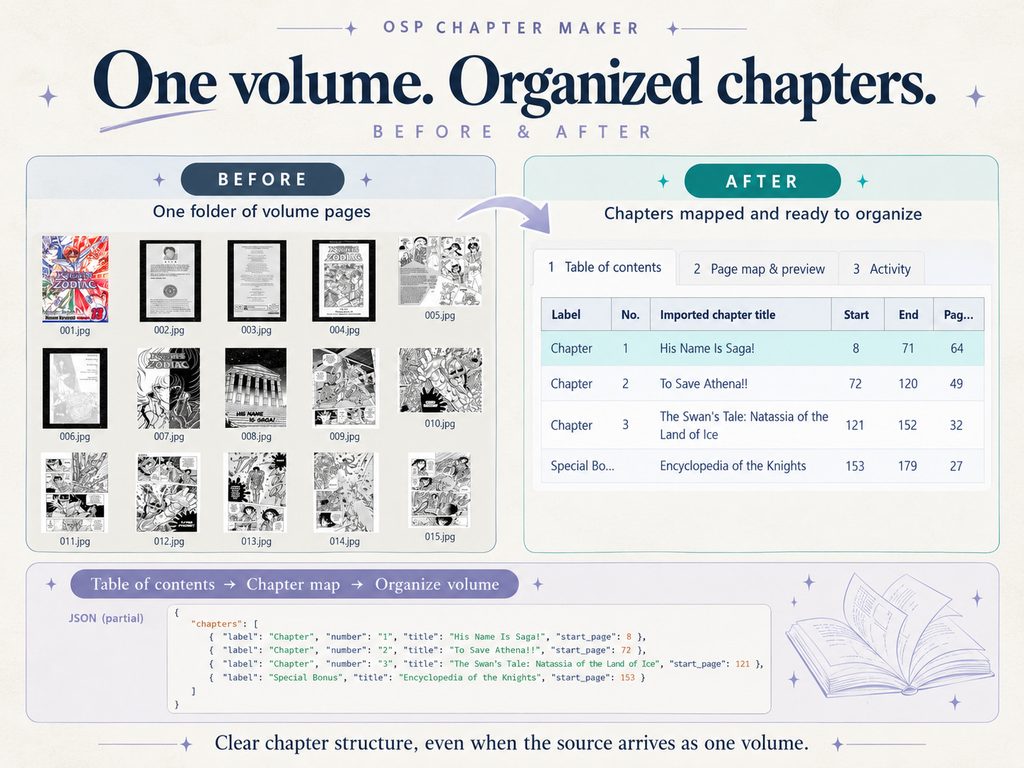
One volume, properly organized chapters
Some manga sources arrive as one volume of images, without separate chapter folders. OSP Chapter Maker helps our team turn that single volume into an organized chapter structure using table-of-contents information and page mapping.
We can review where each chapter begins before organizing the volume, giving the compilation process a clearer starting point.
02. OSP Page Cleaner
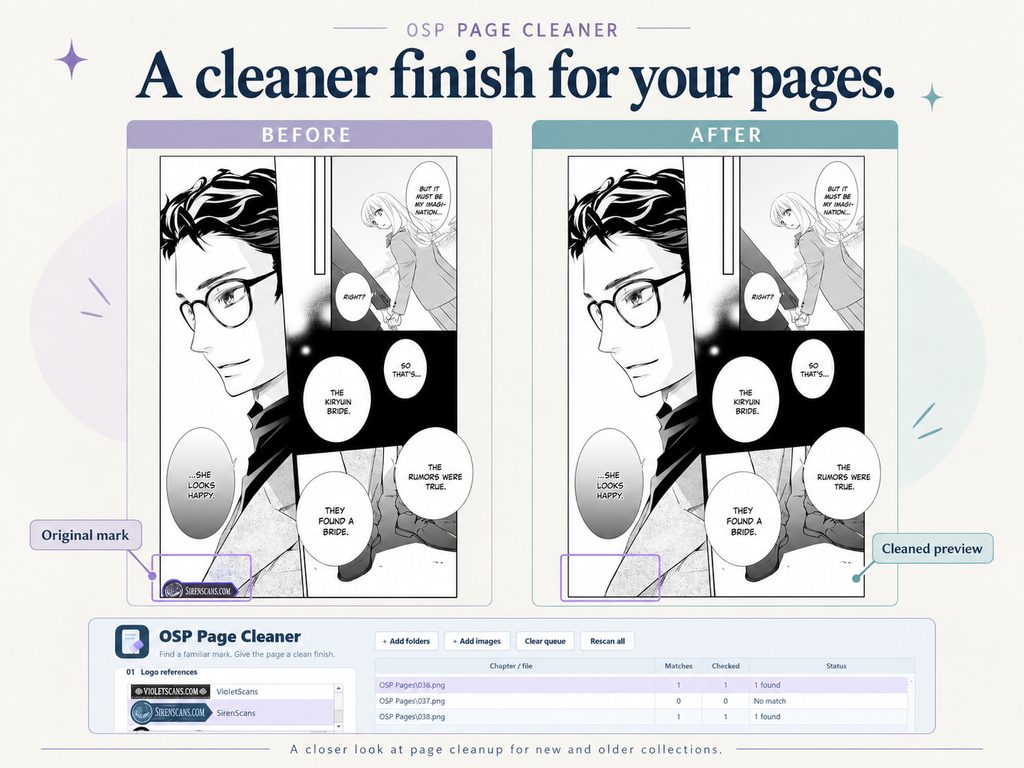
A cleaner finish for new and older collections
OSP Page Cleaner helps our team remove distracting watermarks from manga pages, including titles in older collections. Its original-and-cleaned preview makes it easier to inspect the affected area before saving the result.
The comparison below shows a page-cleanup example from our workflow.
03. OSP Product Inventory
Easier product preparation and publishing
OSP Product Inventory makes it easier for our team to save and organize product information and prepare listings for publication. It brings more order to the work behind the storefront, so our team can manage product preparation more easily.
04. Manhwa page finishing
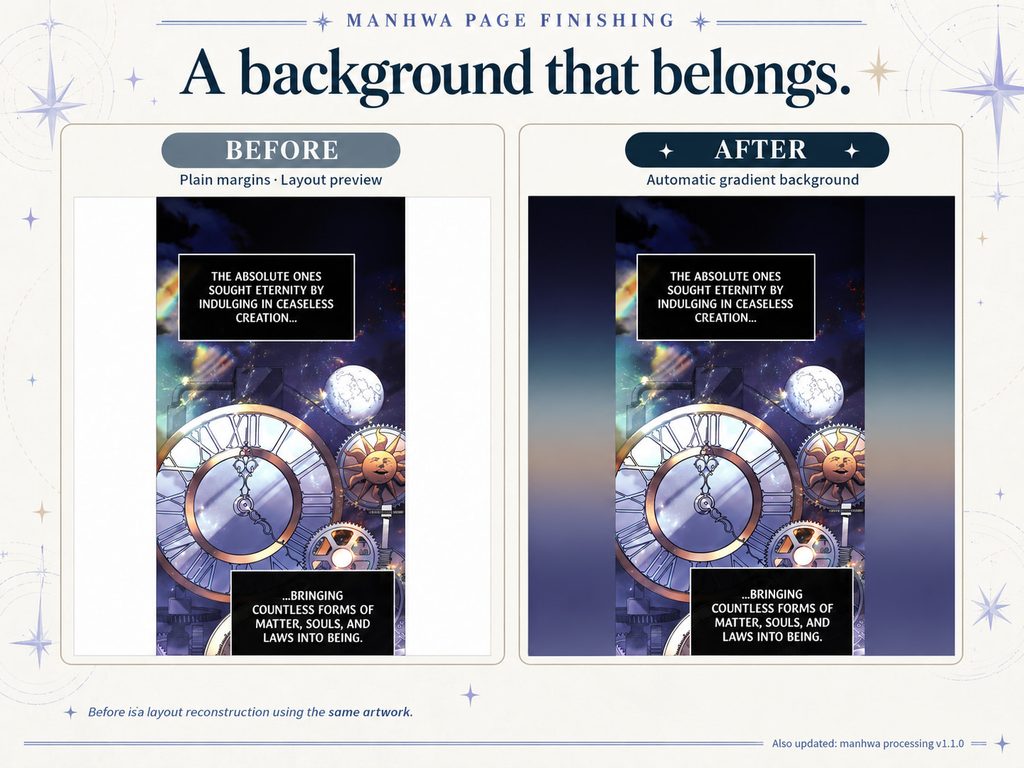
Automatic gradient backgrounds for manhwa
New manhwa titles can now use automatically generated gradient backgrounds around the artwork. These fills complement the page’s colors and give the surrounding space a more cohesive finish.
The comparison uses the same artwork in both panels so you can see the difference in the margins.
05. Version 1.1.0
Improved manhwa quality
Our manhwa processing update, version 1.1.0, brings quality improvements to help us produce more polished pages. It’s another step in refining how manhwa is prepared for your collection.
06. OSP Compiler version 11.12.0
Support for missing contents and chapter introductions
OSP Compiler version 11.12.0 now supports adding a table of contents and chapter introduction pages when these are missing from the source material. This helps give manga volumes clearer chapter structure and more useful navigation.
07. OSP Automatic Page Joint Cutter
Long manga strips, ready for compilation
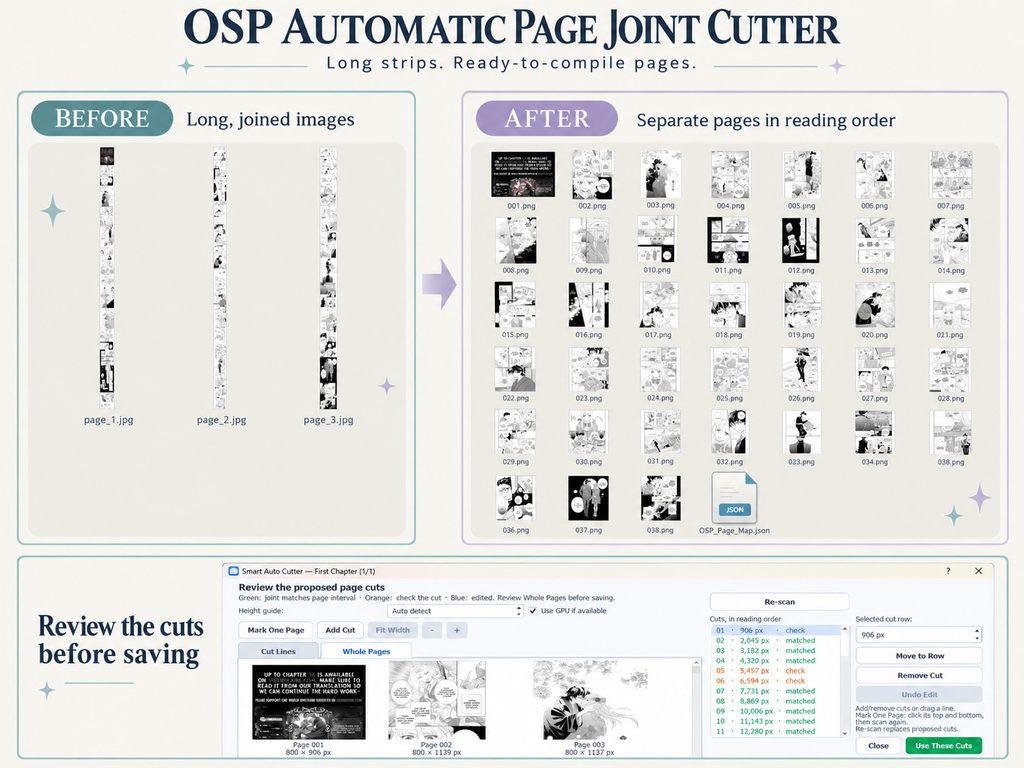
Long, joined manga images used to make some sources difficult to compile. Our new automatic page joint cutter helps divide those strips into separate pages in reading order.
The tool proposes cuts for our team to review and adjust before saving, making challenging source files easier to prepare. Below, you can see the long-strip input, the organized page output, and the review step in between.
These improvements give our team more ways to prepare new releases and revisit older collections. Thank you for your continued support—we’re happy to share a little of the work happening behind the pages at OSP.